Your phone’s texts, on your PC, with AI that drafts, translates, and summarizes.
KrazeMessage pairs with your Android phone and brings your full conversation history to a calm, native-feeling Windows app. Everything stays stored locally on your machine.
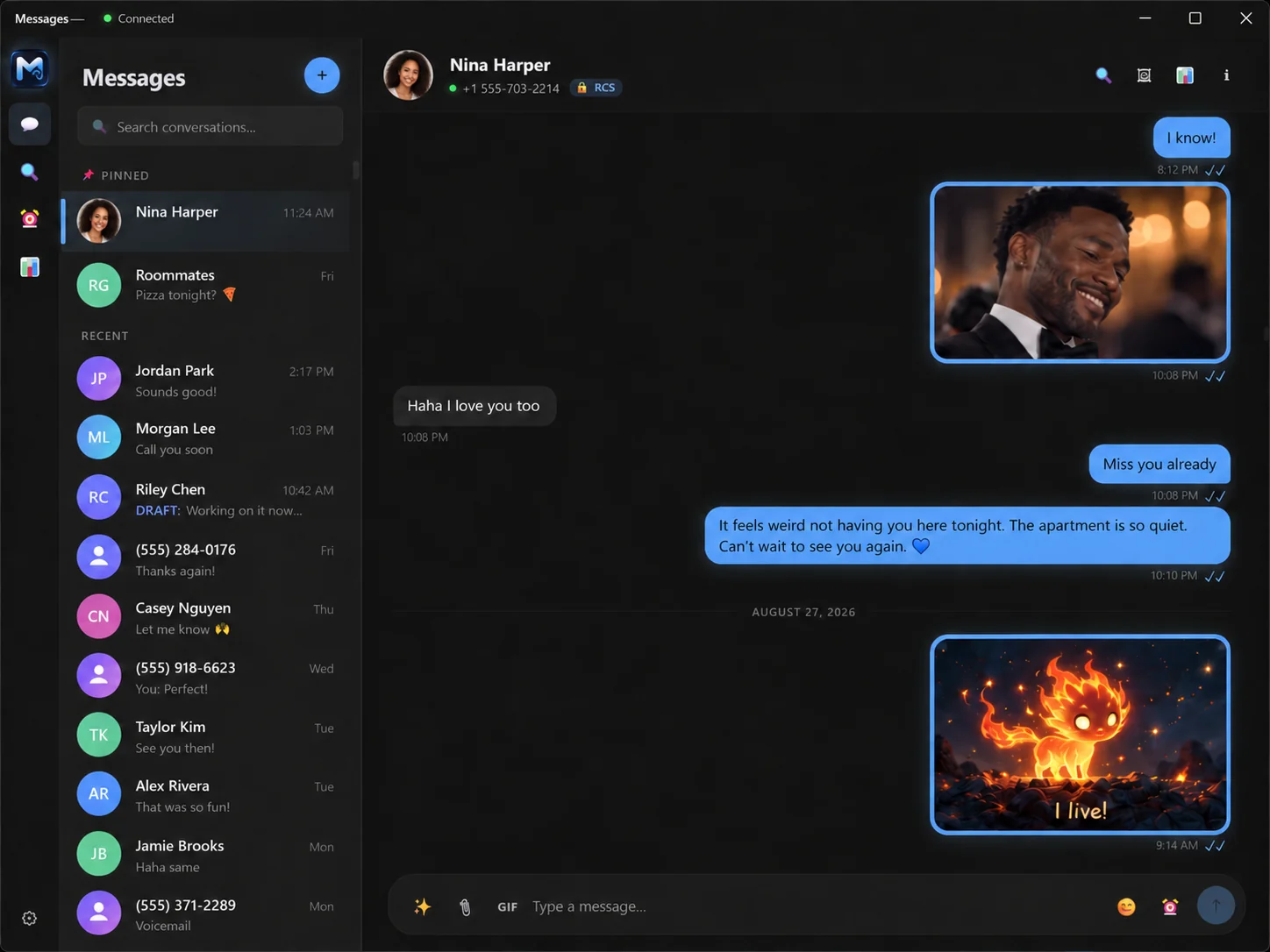
* Message content and media are simulated.
Five assistants living inside your thread
Every AI feature is off by default. Nothing is sent to a provider until you turn it on and ask. Bring your own: Claude, ChatGPT, or local models with Ollama. Private and offline.
AI reply assist
Tap the sparkle in the composer and KrazeMessage reads the recent thread, then offers drafts in the tone you pick. Edit any suggestion before it sends. Nothing goes out on its own.
Inline translate
Translate an incoming message in place, or write in English and send in their language. The original stays one click away.
Thread summarize
Come back to 200 unread group messages and get the decisions, dates, and open questions in a few lines.
Calendar detection
When a message mentions a day and time, KrazeMessage offers to add it to your calendar. You confirm. Nothing is created on its own.
Nudges & reminders
A gentle nudge to reach out to someone you’ve drifted from, and a heads-up when a contact’s birthday or anniversary is coming up.
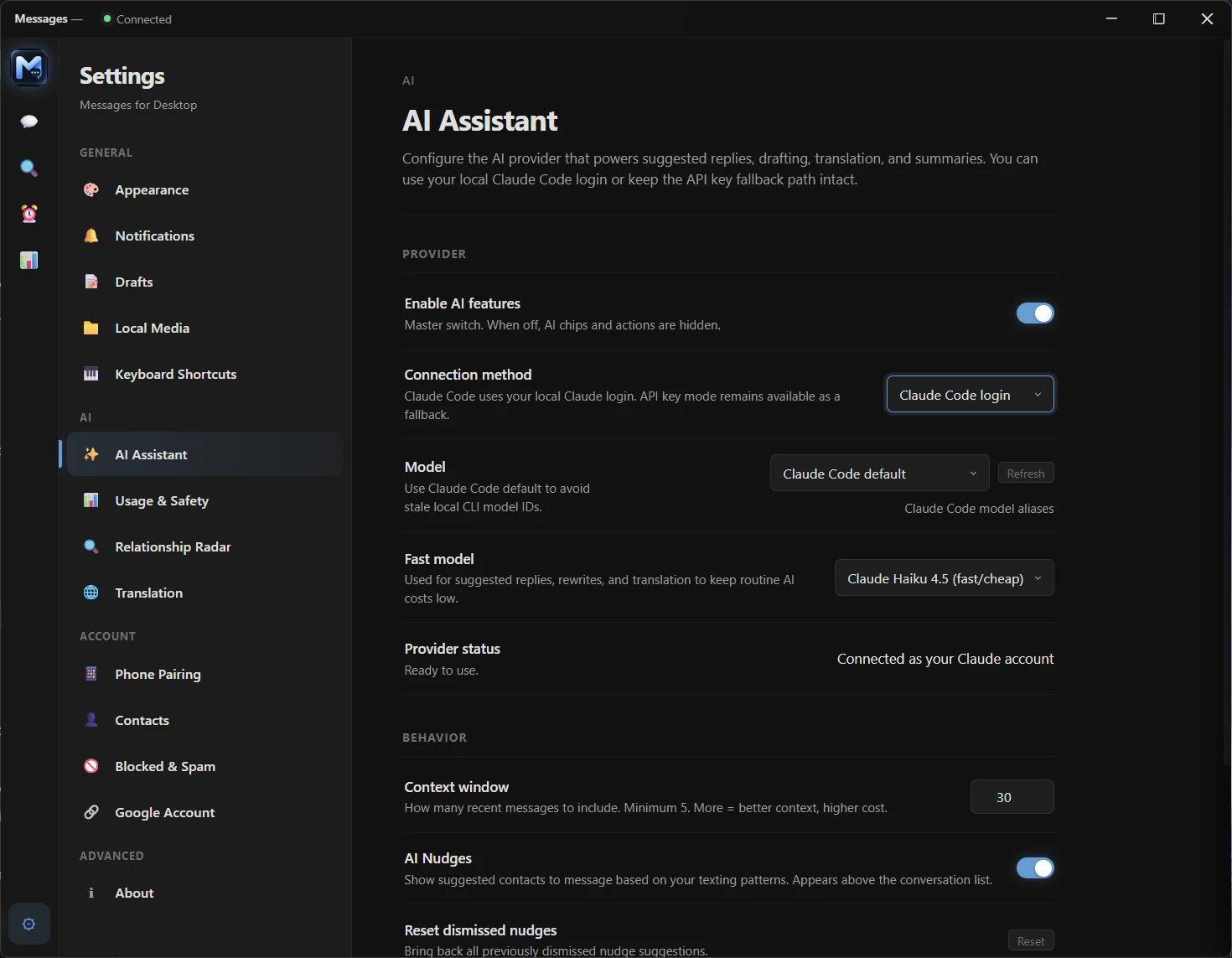
Bring your own AI, including local models
KrazeMessage is model-agnostic. Connect an API key for Claude or ChatGPT, sign in with Claude Code or Codex, or run everything on your own machine with Ollama. No API key, no cloud, nothing leaves your PC.
Built-in MCP server
KrazeMessage can expose your conversations to your own AI agents over a local Model Context Protocol endpoint — let tools like Claude Desktop or any MCP client search your threads, read context, and draft or send. Loopback-only, on your machine.
Also in KrazeMessage
Smart search
Find a message by what it means, not just the words in it. Search “where should we eat” and it finds the text about the new Thai place. It all runs on your computer, and your messages are never uploaded.
Relationship Radar
A quiet read on who you’ve gone quiet with, who’s waiting on a reply, and which threads are heating up. Computed on your machine, no AI involved.
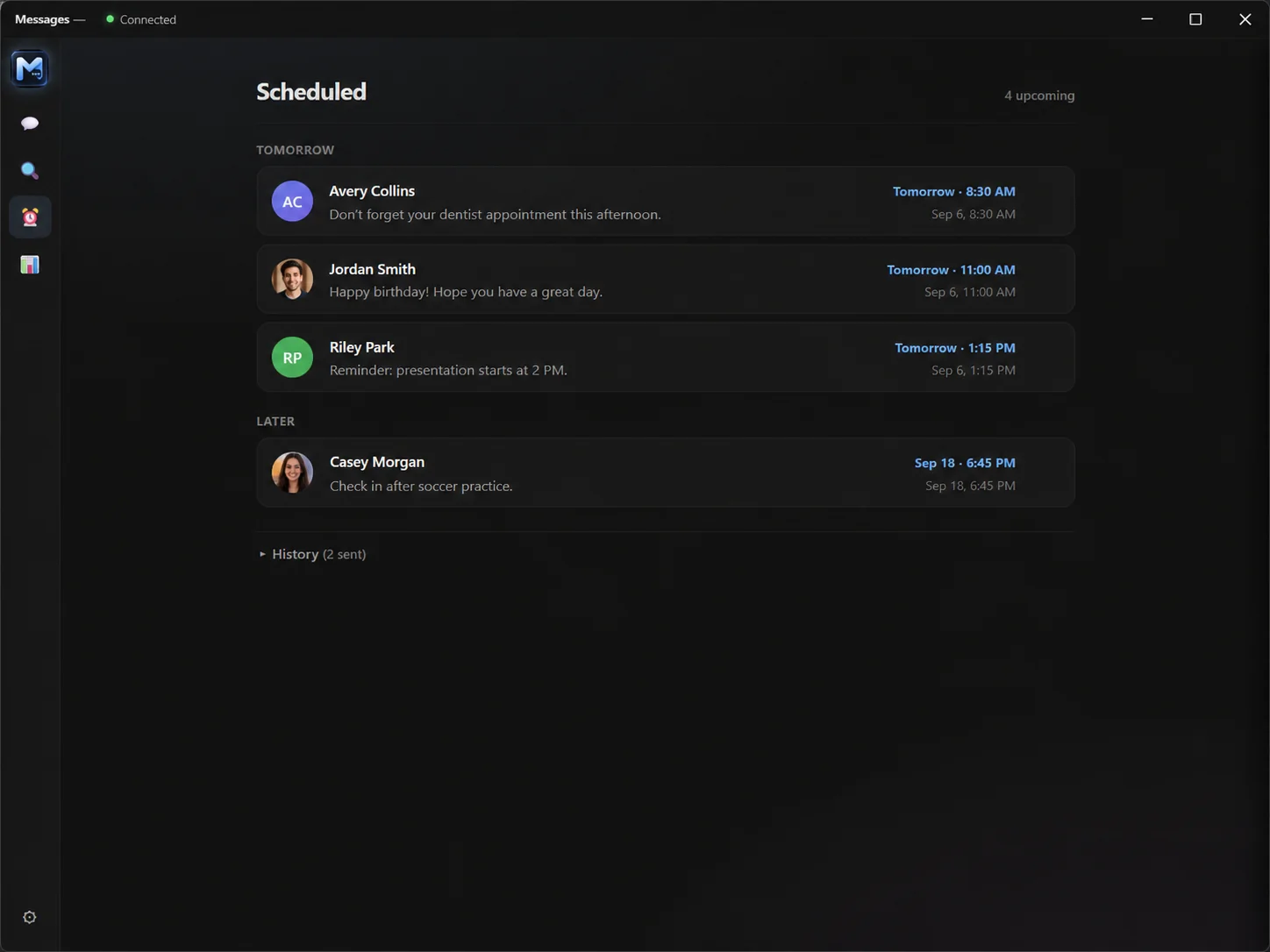
Scheduled messages
Write it at midnight, send it at nine. Queued sends live in a view you can edit or cancel any time.
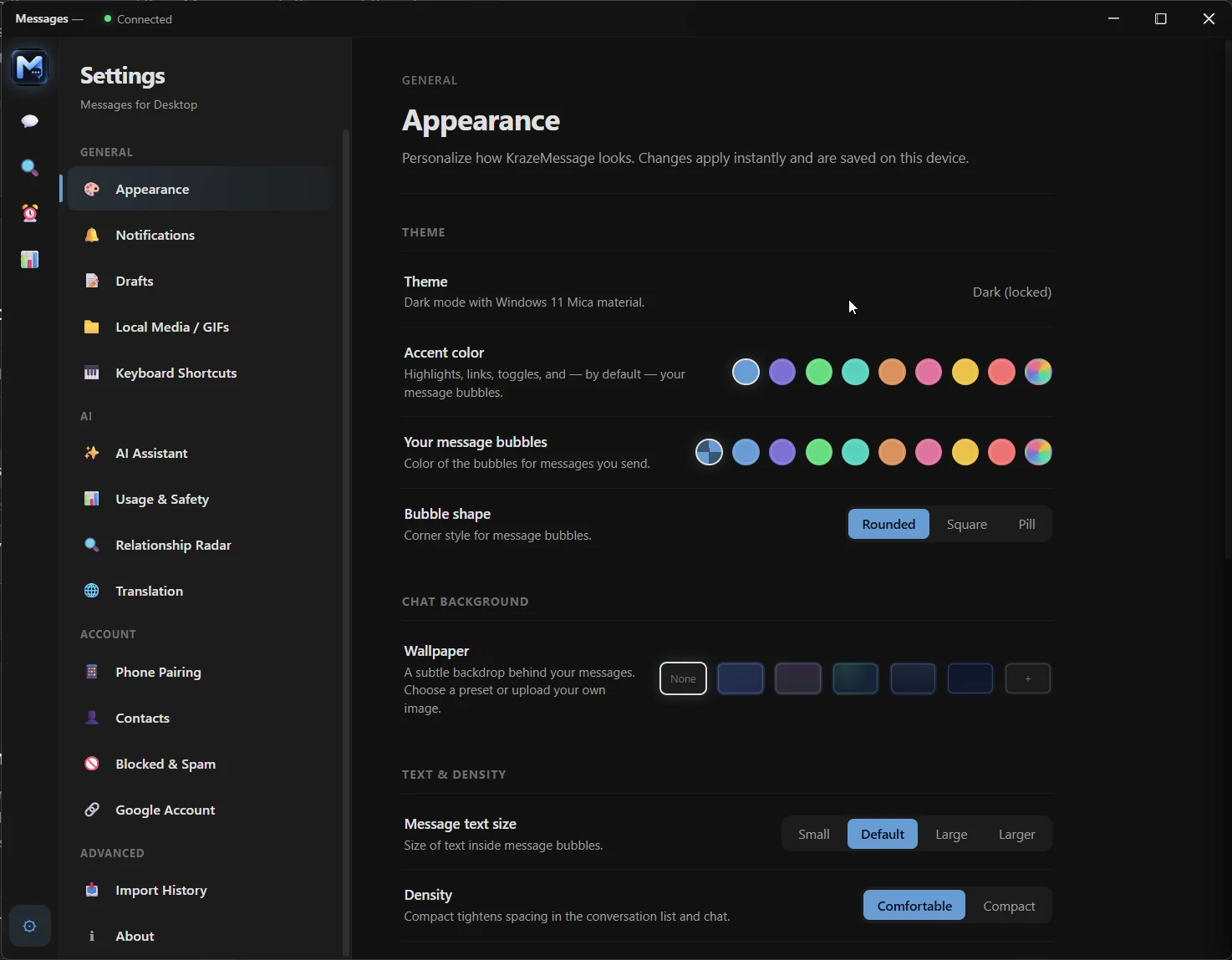
A real messaging client, not a mirrored screen
Full RCS and SMS, rendered natively on Windows with a proper keyboard, a real search box, and your whole archive on hand.
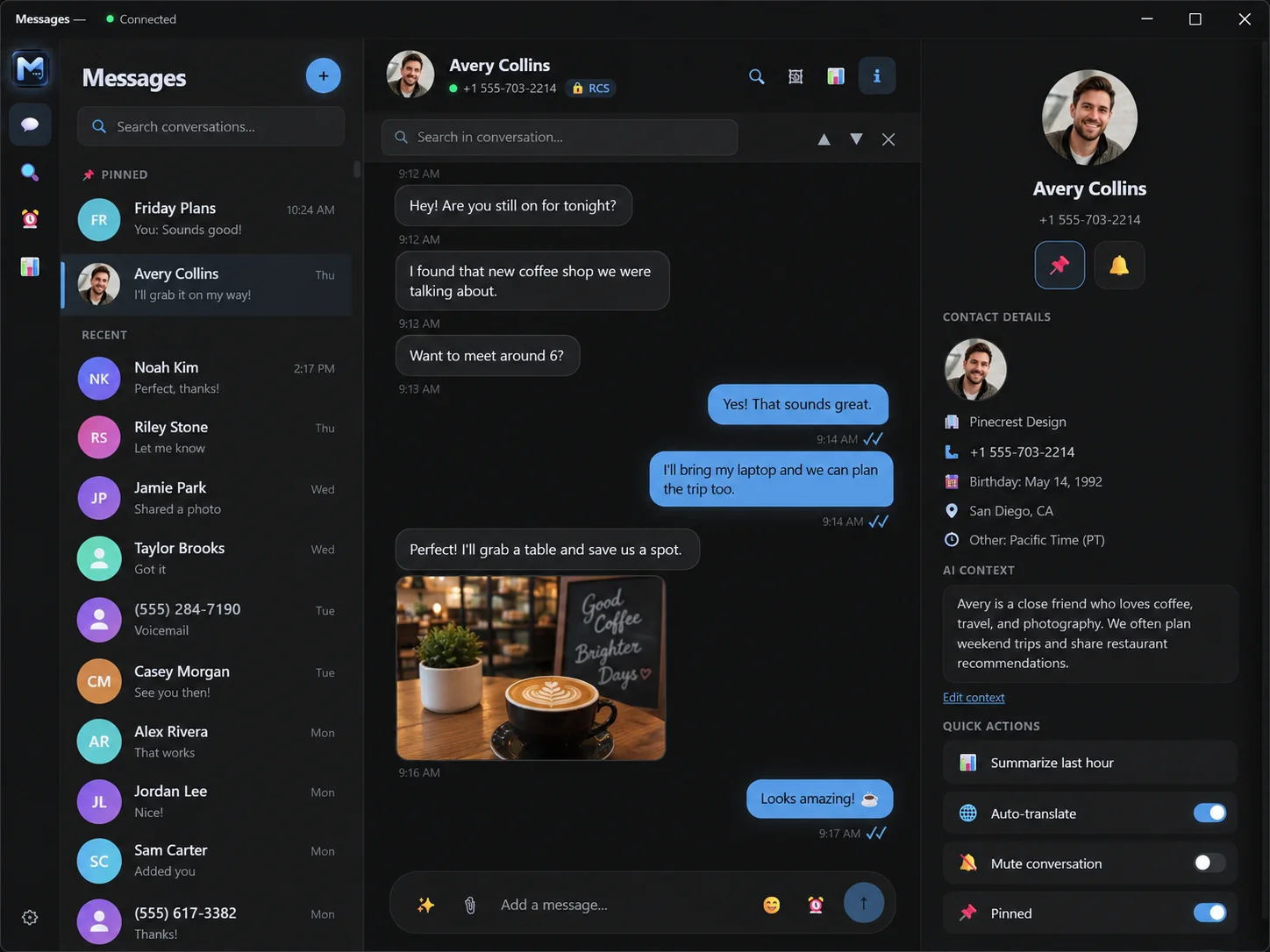
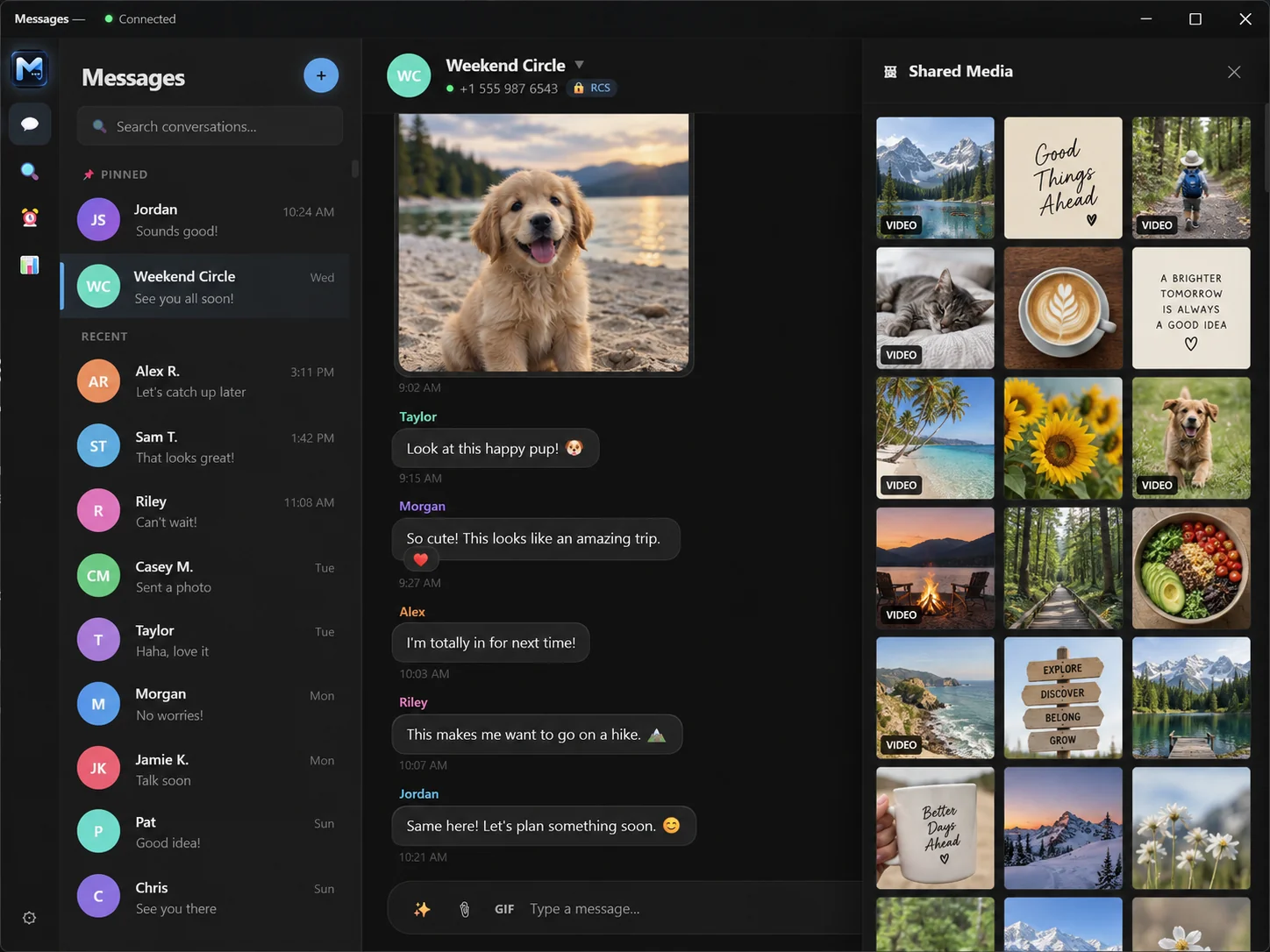
* Message content and media are simulated.
Your messages never leave your machine
There is no KrazeMessage account, no sync server, and nowhere for us to read your texts. The app is a local program that talks to your phone and to your own disk.
Paired and texting in about a minute
Install the app
Run the Windows installer. It sets up the local service and keeps itself updated in the background — every update is cryptographically signed and verified before it installs.
Sign in with Google
Click “Sign in with Google” in KrazeMessage, sign in in the window that opens, then confirm the pairing on your phone. Prefer a QR code? It’s still there as a fallback.
Text from your PC
Threads sync down and stay in step with your phone. Send, react, schedule, and let the AI tools help when you want them.